

Guiding You Through 8xbet Mobile Betting Full Experience on Your Phone.
Your phone is most probably always close by when a match starts, so there is no reason your betting account has to stay on only your laptop.
With 8xbet mobile betting, you can open the sportsbook, check available markets, follow live betting and manage your account from your phone. The only real choice is how you want to access it. Could be through the Android app or straight from your browser.
Let’s make that choice easy.
Mobile Site vs App: Which One Suits You?

There is no universally better option. Both the Android app and the 8xbet mobile site get you into the mobile experience. What works best depends on your phone and how you prefer to use it.
Navigating The Android App
If you use Android, you can download and install the official 8xbet Nigeria app APK and open the platform as an app from your phone. Once signed in, you can access the sportsbook, live betting, casino, deposits and withdrawals and other account features without creating a second account.
The app makes sense if you prefer having 8xbet sitting with the rest of the apps on your phone and expect to return regularly.
Need the download and installation steps? Go to the 8xbet App Homepage.
Mobile Website Preference?
If you are not keen on installing anything, that is completely fine. The 8xbet mobile site runs through your phone’s browser, so you can simply open the official website, sign in and continue from there. It gives you access to the main mobile features without using phone storage for an app installation.
This route works on Android too, but it is particularly important for iPhone and iPad users because there is currently no dedicated 8xbet app in the Apple App Store. No APK. No separate mobile account. Just your browser and your existing login.
| If you want... | App | Mobile Site |
|---|---|---|
| No installation | — | ✓ |
| Android access | ✓ | ✓ |
| iPhone/iPad access | — | ✓ |
| Sports betting | ✓ | ✓ |
| Live betting | ✓ | ✓ |
| Existing 8XBET account | ✓ | ✓ |
So if you want the quickest route with nothing to install, open the browser. If you prefer a dedicated Android app, download the APK from the official 8xbet website.
Placing a Bet on Mobile: From Match to Bet Slip
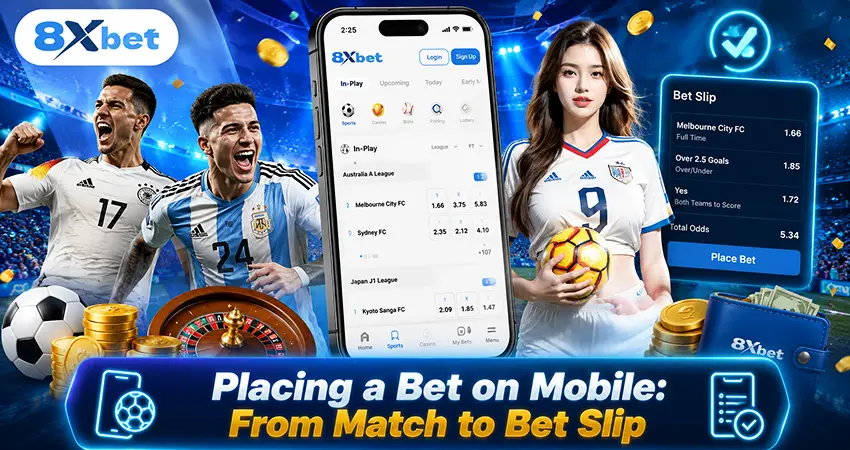
Wondering how to bet on 8xbet with a phone? The process should feel familiar whether you are using the mobile site or Android app. Here’s the basic journey when you want to bet on 8xbet with phone:
- Open 8xbet and sign in. Use the same account you normally use.
- Find your sport or event. Browse the sportsbook and open the fixture that interests you.
- Open the event and pick your market. Look through the available betting options and tap the selection you want. Your choice will be added to the bet slip.
- Open your bet slip. Your selection will appear there. Enter the stake you want to place.
- Give it one last look. Before confirming, check the selection, stake and odds displayed on your screen. This is important more so during live betting because odds can change as the event develops.
- Place the bet. Once everything looks right, place your wager.
If you are building an accumulator, repeat the selection step for each event before entering your stake. Just remember that every selection in an accumulator needs to win for the bet to pay out.
Data & Connectivity Tips: When the Signal Isn’t Playing Along

Mobile betting is convenient right up until your network decides otherwise. You don’t need a special 8xbet setting to deal with that. A few habits make the difference.
Give Live Bets a Stable Connection
Live odds can move quickly while the event is happening. If your network is struggling, wait until the connection settles before making a decision. Repeatedly refreshing or tapping through a half-loaded page makes mistakes more likely. A stable Wi-Fi connection can be useful during longer sessions, while mobile data is perfectly practical when your signal is reliable.
If Your Connection Drops Mid-Bet, Don’t Tap Again Immediately
Suppose you tap to place a bet and your connection disappears at exactly the wrong moment. Do not immediately submit the same bet again. Reconnect first, then check your account or betting history to confirm whether the original wager went through. This simple check can help you avoid placing the same bet twice by mistake.
Working With a Smaller Data Bundle?
8xbet does not currently advertise a verified “lite mode” or a fixed amount of data that mobile betting uses. Your usage depends on what you do, how long you stay online and the content being loaded. If you are working with a limited data bundle, keep an eye on usage through your phone’s own mobile-data settings.
For a long session, Wi-Fi may be the more comfortable option. For a quick check of a fixture or bet slip, your normal mobile connection may be all you need.
Don’t Rush Because Your Signal Is Weak
Weak networks and impatient thumbs are not a great combination. If a market, bet slip or account page is still loading, give it a moment before tapping another option. This is particularly useful when you are making a payment or confirming a bet, where repeating an action can create confusion.
Mobile should make things easier, not hurried.
Want to see what’s available today? Explore the 8xbet Sportsbook. Prefer to set up the Android app first or want more information about using 8xbet on your device? Visit the 8xbet App Homepage.